Gemini to Word, PDF and Google Docs: Is This Extension Worth Using?
10 tháng 11, 20267 phút đọc
The phrase Gemini to Word, PDF and Google Docs describes exactly what this Chrome extension promises: move Gemini responses or complete conversations into editable or shareable documents with one click. It is a focused exporter with strong support for tables, equations, code, images, and Deep Research content, but its in-app purchases and data disclosures should be reviewed before installation.
This review evaluates the current Chrome Web Store listing, official screenshots, feature description, version information, and privacy declaration as of November 10, 2026. Because export quality can change with the content and Gemini interface, test the extension with a non-sensitive conversation before using it for important work.
1. Extension Overview and Current Listing
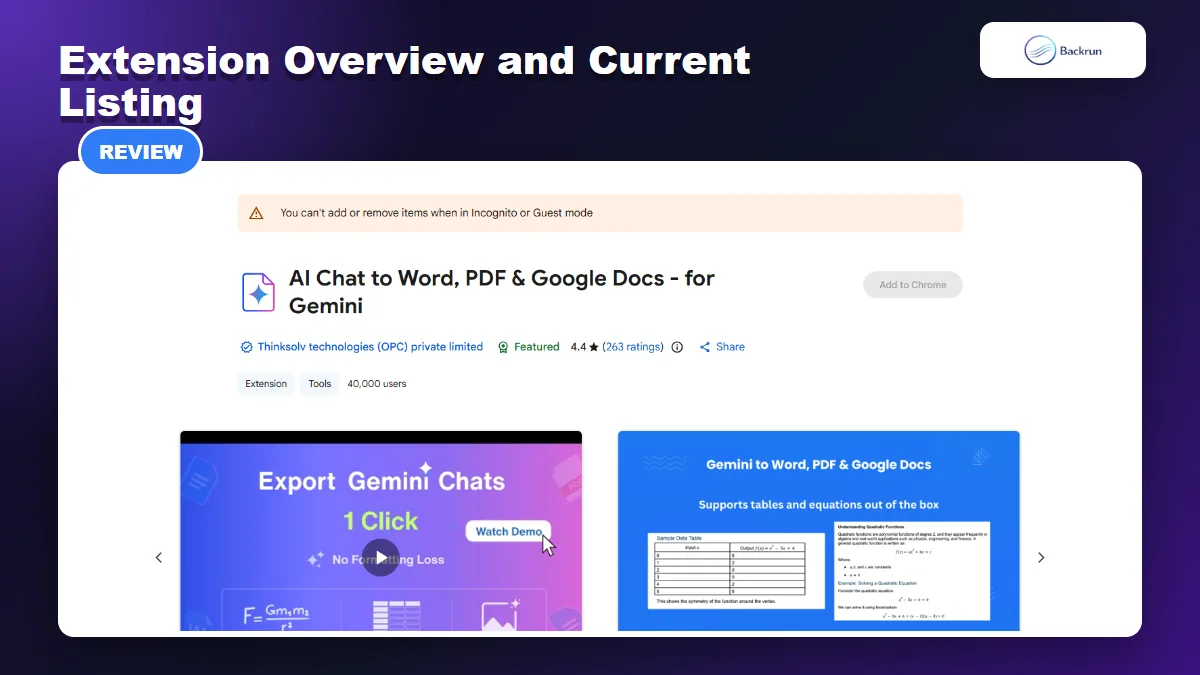
The extension is currently Featured on the Chrome Web Store with Word, PDF, Google Docs, and Markdown export claims.
AI Chat to Word, PDF & Google Docs - for Gemini is published by Thinksolv technologies (OPC) private limited. The Chrome Web Store currently marks it as Featured and shows approximately 40,000 users, a 4.4 rating, and 263 ratings.
Version reviewed
2.10.2
Last updated
October 30, 2026
Extension size
164 KiB
Languages
English
Pricing signal
Offers in-app purchases
Developer status
Trader identified on the Chrome Web Store
The extension is narrower than an all-purpose AI exporter because it is built specifically for Gemini. That focus can be an advantage: its controls appear directly around Gemini responses and the listing documents workflows for single responses, full conversations, answer-only exports, Deep Research, and Canvas.
Best fit: students, researchers, analysts, writers, and professionals who regularly move Gemini content into Word or Google Docs and want a fixed PDF copy for archiving or sharing.
2. Export Formats and Formatting Quality
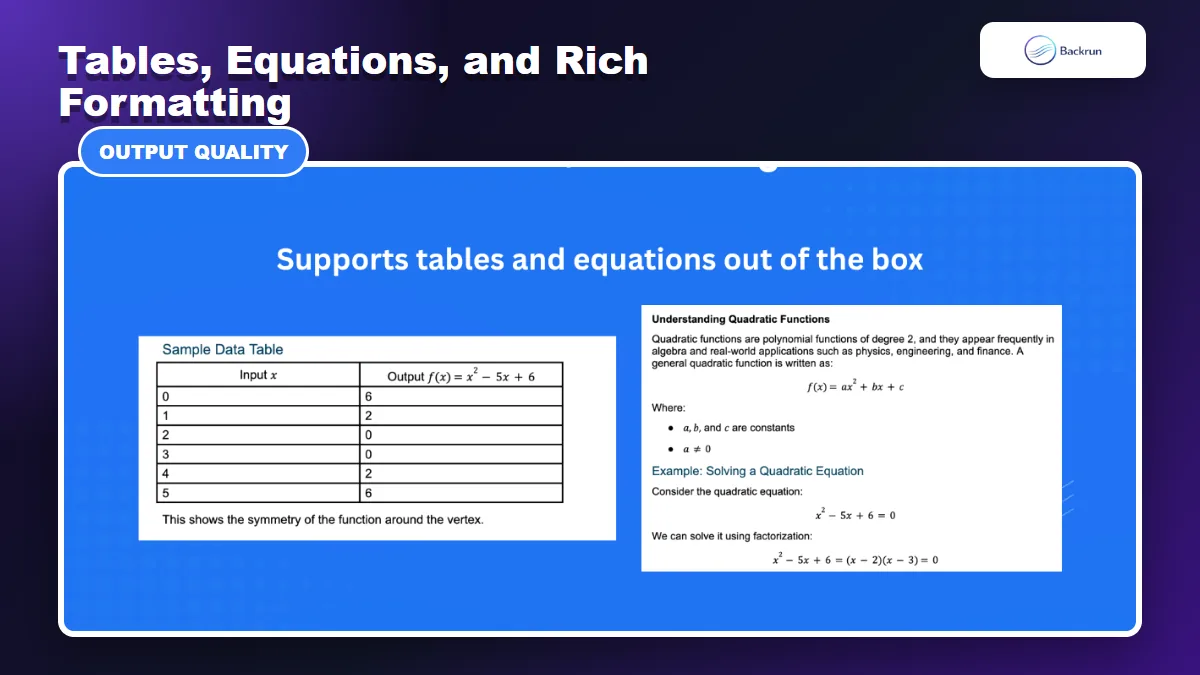
The official gallery highlights table and equation preservation as core capabilities.
The extension supports four primary outputs: Microsoft Word, PDF, Google Docs, and Markdown. Word and Google Docs are the most useful choices when content needs more editing, while PDF is better for a stable archive. Markdown suits documentation or note-taking workflows.
The listing says the exporter preserves:
Tables and structured data
Math equations, fractions, symbols, and integrals
Inline code and fenced code blocks
Images and links
Headings, lists, and other rich-text elements
The official gallery specifically demonstrates a table and quadratic equations, which is more meaningful than a plain-text example. These are exactly the content types that often break during ordinary copy and paste.
Choose the destination by the next task: use Word when the document must enter a desktop editing or approval workflow, Google Docs when several people need to comment or revise it, PDF when layout stability matters more than editing, and Markdown when the content will move into documentation, a repository, or a note-taking system. Exporting directly to the final destination usually creates less cleanup than converting the same file several times.
Practical limitation: no extension can guarantee identical output in every destination. Word, Google Docs, and PDF render equations, page widths, fonts, code, and image placement differently. A reliable test should include one table, nested list, formula, image, code block, and long response, then compare the same conversation across the formats you plan to use.
3. Single Response, Full Conversation, and Answer-Only Export
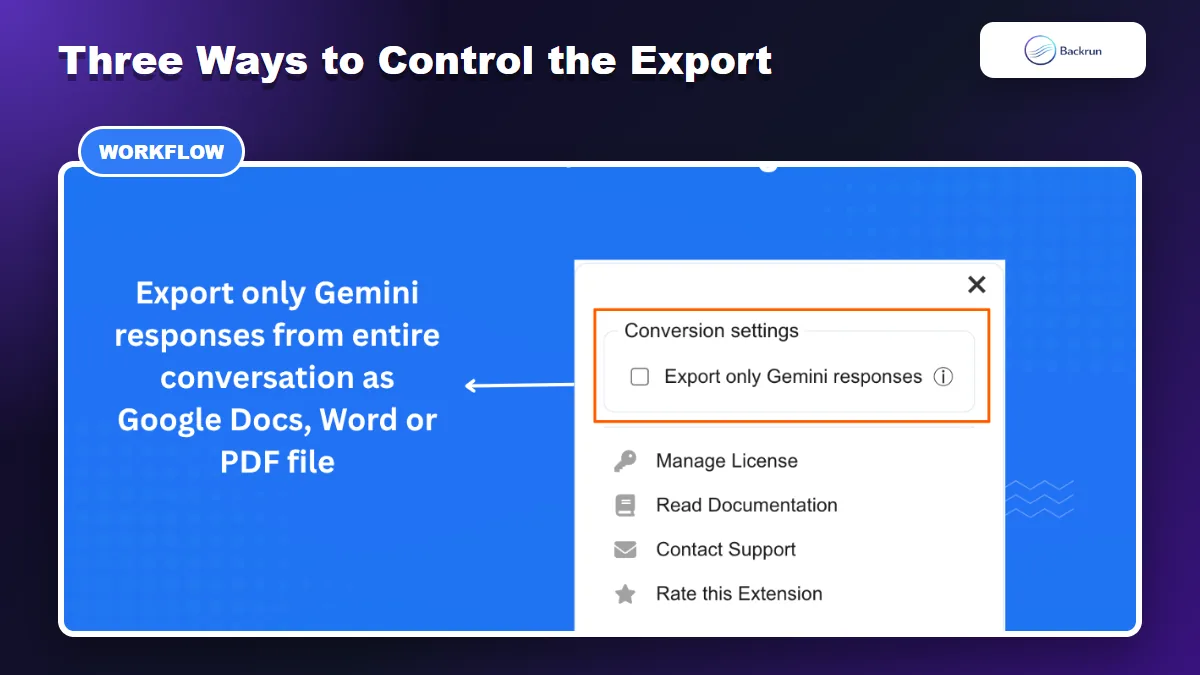
The extension can exclude user prompts and keep only Gemini responses when creating the document.
The extension provides three useful export scopes rather than forcing every user into a full-chat download.
Single response: export one Gemini answer from the action buttons beside that response.
Entire conversation: use the global controls to save the full thread when prompts and earlier context matter.
Gemini responses only: exclude user prompts and keep only the generated answers.
This flexibility is valuable for different document types. A single response works for a short explanation or table. Full export is better for research records and decision logs. Answer-only mode creates a cleaner handout when the prompts are repetitive or confidential.
Install the extension and review the permissions requested by Chrome.
Open the Gemini conversation and load the content you need.
Choose the response-level or conversation-level export control.
Enable “Export only Gemini responses” when user prompts should be omitted.
Select Word, PDF, Google Docs, or Markdown and review the result before sharing it.
Long-chat caution: scroll through the conversation before exporting. Web applications frequently load older messages on demand, so content that is not currently loaded may be missing from the document.
Verification checklist: confirm that the exported file starts with the expected first message and ends with the correct final response. Then spot-check links, tables, equations, image order, code indentation, and any quoted figures. If a document is shorter than expected, reload Gemini, scroll through the thread once, and repeat the export before assuming the conversation itself is incomplete.
4. Deep Research and Gemini Canvas Support
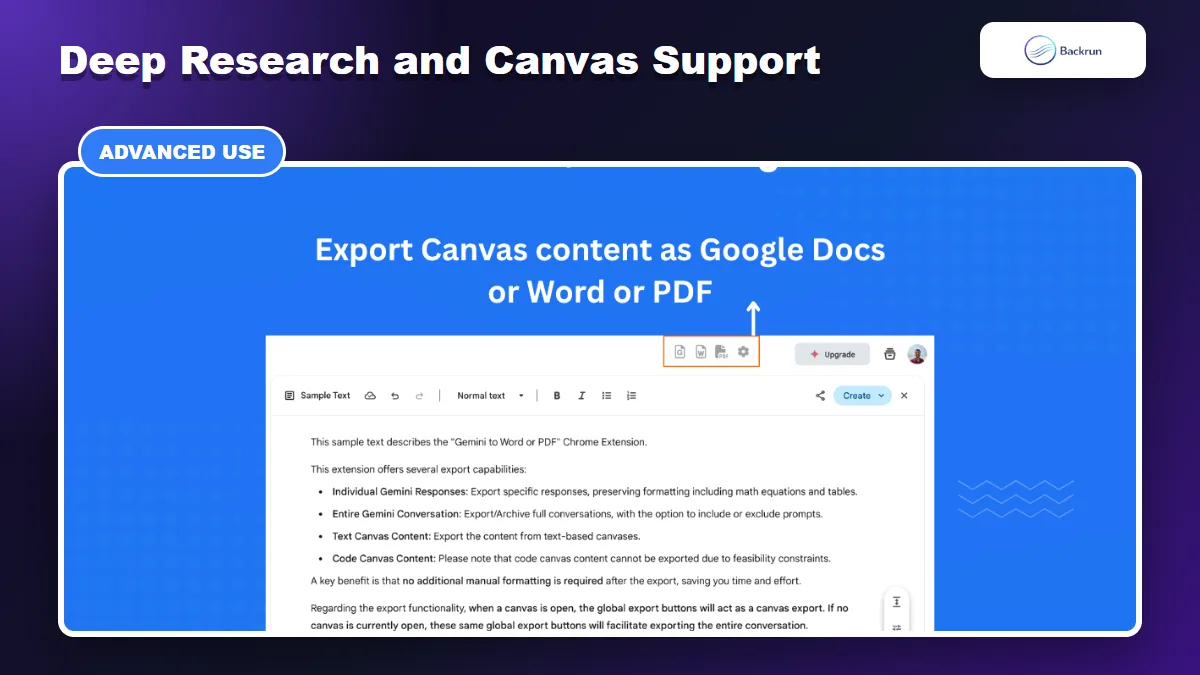
The gallery shows export controls for text-based Gemini Canvas content.
The listing says the extension can export Gemini Deep Research documents to Word, PDF, or Google Docs. This is one of its strongest use cases because a research response often combines headings, citations, tables, equations, and images that are tedious to rebuild manually.
The gallery also shows export controls for text-based Gemini Canvas content. When a Canvas is open, the global export buttons act on the Canvas rather than the surrounding chat. The example notes that text Canvas content can be exported, while code Canvas content may not be supported in the same way.
Why this matters: Deep Research and Canvas are document-like outputs, not ordinary chat bubbles. An exporter that recognizes those surfaces can reduce copy-and-paste cleanup and preserve more structure than a generic browser selection.
What to verify: check citations, footnotes, links, table widths, equation alignment, image order, and whether the complete Canvas was included. For a client document or academic draft, compare the exported file with the original Gemini output before making the export your only copy.
5. Pricing, Privacy, and Main Limitations
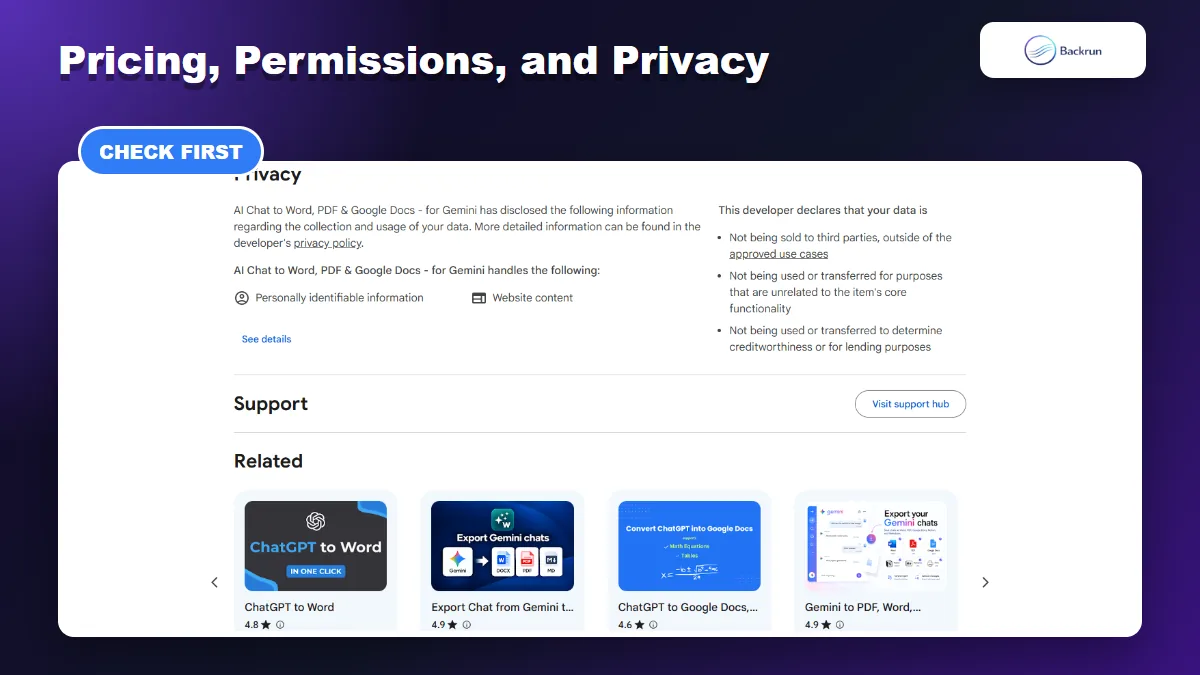
The listing discloses handling of personally identifiable information and website content.
The Chrome Web Store states that the extension offers in-app purchases, but the public listing does not provide a complete price table or explain every free-plan limit. Users should check the current in-extension pricing before committing to a recurring workflow.
The privacy section discloses that the extension handles personally identifiable information and website content. The developer declares that data is not sold to third parties outside approved use cases, is not used for purposes unrelated to the extension's core function, and is not used to determine creditworthiness.
Those statements provide useful transparency, but the extension still needs access to the Gemini content being exported. Review the developer's privacy policy and Chrome's extension management guidance. Chrome lets users restrict site access, which can reduce unnecessary exposure.
For sensitive work, start with a local Word or PDF export instead of sending content directly to a cloud destination. Keep the extension disabled when it is not needed, limit site access to Gemini where Chrome permits it, and avoid exporting credentials, customer records, private source code, or regulated information unless your organization has approved the workflow.
Strengths
Focused Gemini integration
Word, PDF, Google Docs, and Markdown outputs
Single, full-chat, and answer-only export
Support for tables, equations, code, and images
Deep Research and text Canvas support
Small extension package and recent updates
Limitations
In-app purchases without a full public pricing table
Only English is listed
Export quality can differ by destination
Code Canvas support appears limited
Handles personally identifiable information and website content
Long chats still require completeness checks
6. Final Verdict and a Gemini Exporter Alternative
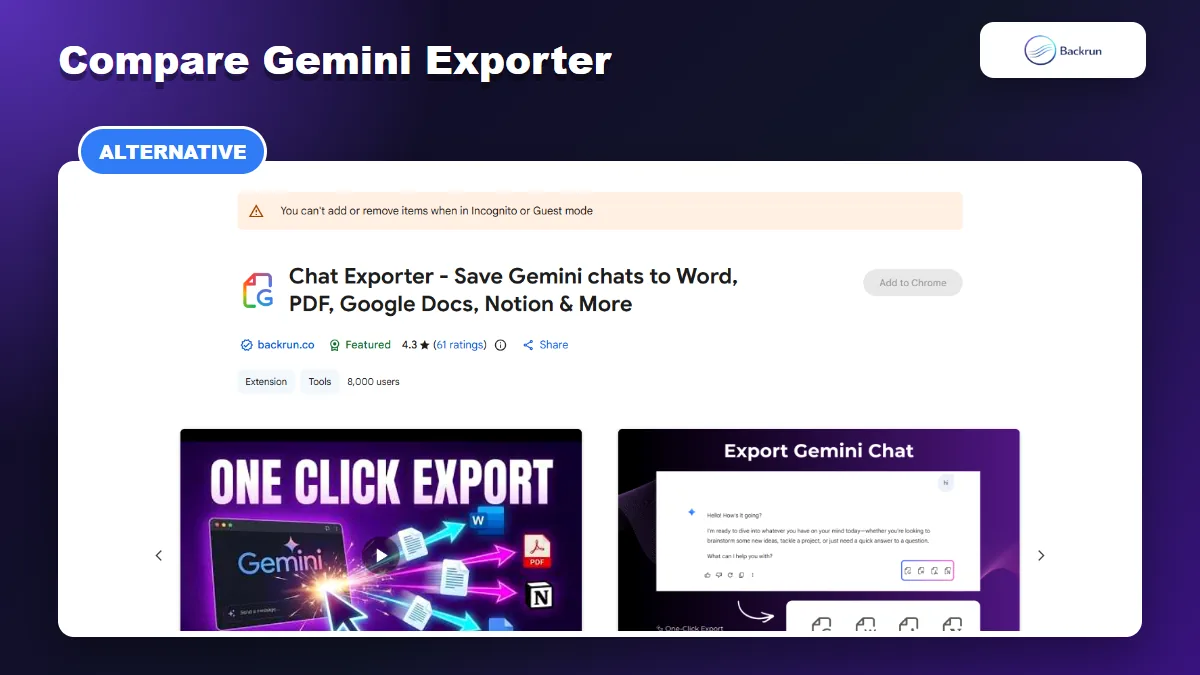
Gemini Exporter adds selected-message export, typography controls, Google Docs, Notion, PDF, and Word destinations.
This extension is worth considering when you mainly work in Gemini and need dependable access to Word, PDF, Google Docs, or Markdown. Its strongest differentiators are response-level controls, answer-only mode, rich-format support, and explicit Deep Research and Canvas workflows.
Its main weaknesses are less transparent public pricing, English-only listing support, and the need to review privacy and output completeness. It is a better fit for frequent Gemini users than for someone who exports only occasional plain-text answers.
For another focused option, compare Gemini Exporter. It exports selected messages or full conversations to PDF, Word, Google Docs, and Notion, provides font family, font size, and text color controls, and can automatically scroll through long conversations to load available history before export.
Use the same non-sensitive test conversation in both extensions. Compare equation fidelity, tables, images, long-chat completeness, permissions, pricing, and the amount of cleanup required in Word or Google Docs. The better extension is the one that consistently preserves the content you actually produce.